

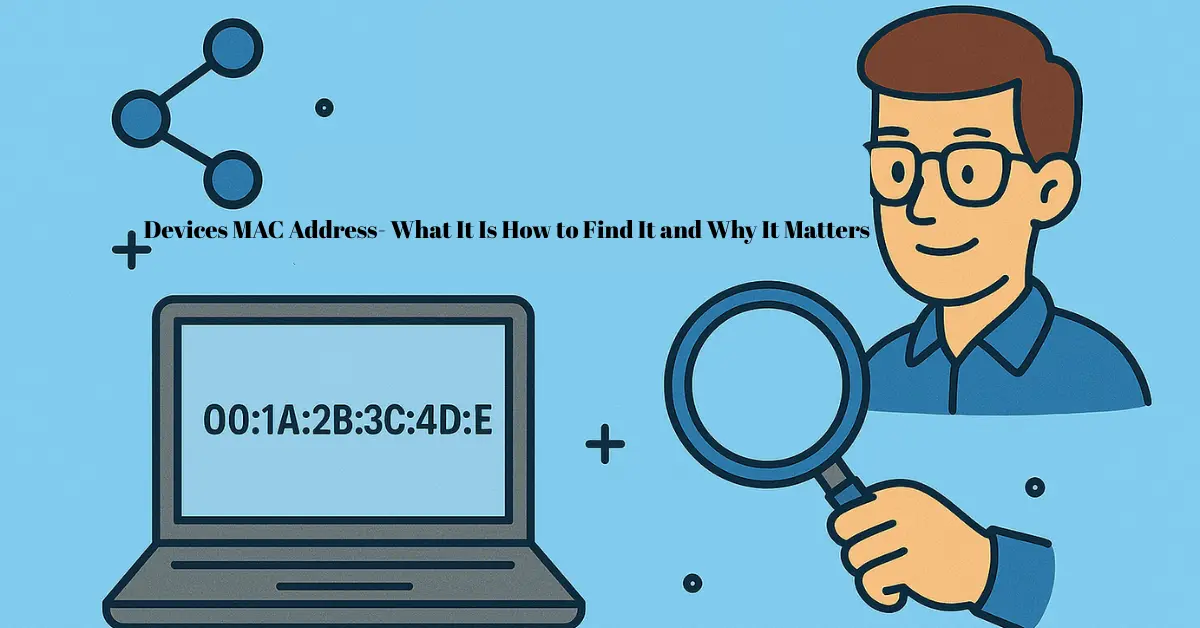
Every device connected to a network, from smartphones to laptops, has a unique identifier called a devices mac address. Think of it as a digital fingerprint that allows networks to recognize and communicate with your device accurately. Without it, your router wouldn’t know which device to send data to, making network management nearly impossible.
Understanding your device’s MAC address can also help with troubleshooting common connectivity problems. Have you ever wondered why your device can’t connect to Wi-Fi even though the password is correct? Often, network restrictions or security settings linked to a devices mac address are the reason. By performing a simple mac address lookup, you can identify your device on the network and ensure it’s properly registered. This is especially useful for device network identification, network monitoring, or even controlling which devices can access your network.
In this article, we’ll explore everything you need to know about devices mac address, including how to find it, why it matters, and how it’s used in modern networking. Whether you’re troubleshooting connection issues or securing your home network, understanding MAC addresses is the first step toward smarter network management.
What is a MAC Address?
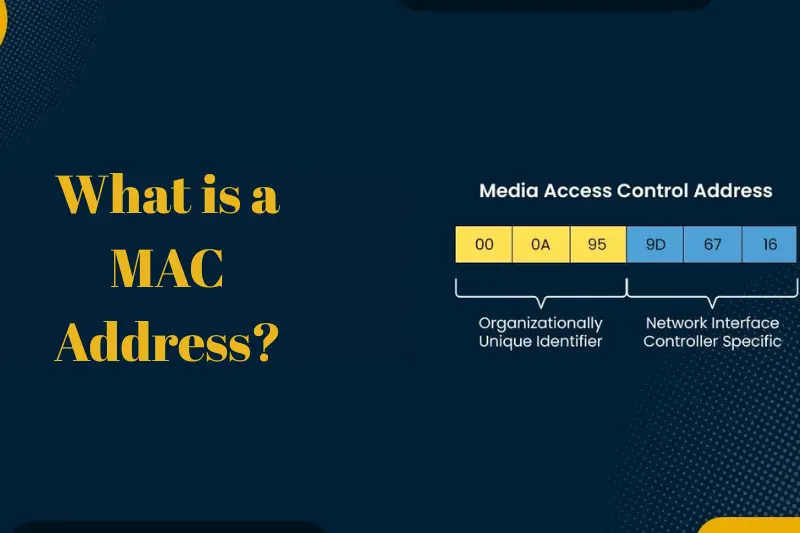
A MAC address, short for Media Access Control address, is a unique identifier assigned to every device that connects to a network. This includes smartphones, laptops, tablets, routers, and even smart home devices. Essentially, it acts like a digital fingerprint for your device, allowing networks to recognize and communicate with it accurately.
Every MAC address consists of a series of letters and numbers, usually displayed in six pairs separated by colons or hyphens (e.g., 00:1A:2B:3C:4D:5E). Unlike IP addresses, which can change depending on the network, a MAC address is generally permanent and tied directly to the device’s network hardware.
Understanding the devices mac address is crucial for device network identification. It helps network administrators manage connected devices, troubleshoot connectivity issues, and ensure secure access. For everyday users, knowing your device’s MAC address can assist in performing a mac address lookup, monitoring which devices are on your network, and even implementing parental controls or access restrictions.
In short, a MAC address is the key to identifying your device in any network, making it an essential piece of modern networking.
May be you like it :
Devices Gmail – How to Access and Manage Your Gmail Account on All Devices
Software Manager Jobs – Roles Skills Career Growth and How to Land One
Software Update in Spanish – Step-by-Step Guide to Latest Updates
Software Languages – Top Programming Languages Tips and Future Trends
Software NAICS Code – Guide to Industry Classification and Government Reporting
Why Devices MAC Address is Important
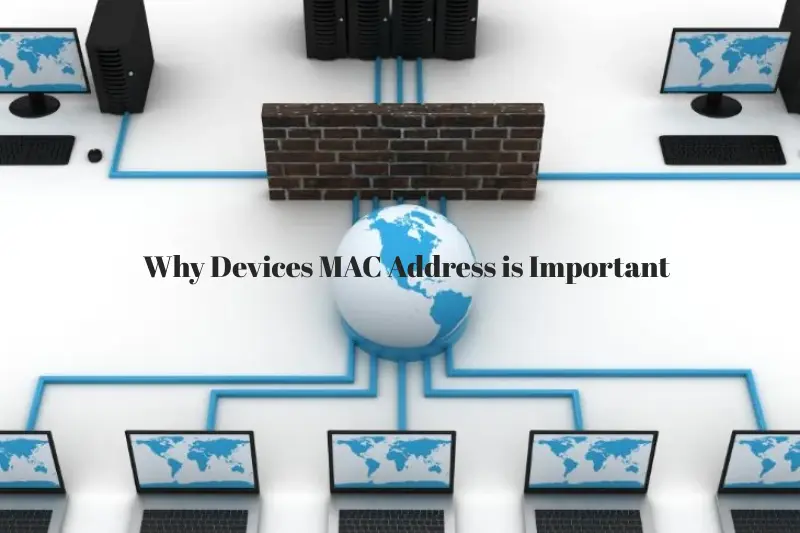
A devices mac address plays a vital role in both home and enterprise networks. It acts as a unique identifier for every device, ensuring that data is sent to the correct destination. Without MAC addresses, networks would struggle to differentiate between devices, leading to connection errors or data misrouting.
One of the key uses of a MAC address is device network identification. Network administrators rely on MAC addresses to monitor which devices are connected, manage access permissions, and maintain security. For example, if a suspicious device appears on your network, its MAC address can be used to track or block it, enhancing network security.
For everyday users, knowing your device’s MAC address also enables easier troubleshooting. If your device is having trouble connecting to Wi-Fi, performing a mac address lookup can help identify whether the issue is related to network settings, device restrictions, or other devices competing for bandwidth.
Moreover, MAC addresses are essential for mac address tracking in certain scenarios, such as inventory management of devices in offices, schools, or IoT networks. Overall, understanding and using your device’s MAC address ensures smoother connectivity, better security, and efficient network management.
How to Find Your Device’s MAC Address
Finding your devices mac address is easier than you might think, and knowing how to locate it is essential for network troubleshooting, security, and device network identification. Here’s how to find it on different devices:
On Windows
- Press Windows + R, type cmd, and hit Enter to open the Command Prompt.
- Type ipconfig /all and press Enter.
- Look for the “Physical Address” under your network adapter – this is your MAC address.
On Mac (MacBook/iMac)
- Go to System Preferences > Network.
- Select your active connection (Wi-Fi or Ethernet) and click Advanced.
- The MAC address will be listed as “Wi-Fi Address” or “Ethernet Address.”
On iOS (iPhone/iPad)
- Open Settings > General > About.
- Scroll down to find the “Wi-Fi Address” – that’s your MAC address.
On Android
- Go to Settings > About Phone > Status (or Hardware Information on some devices).
- Look for “Wi-Fi MAC Address.”
On Routers
Most routers list connected devices’ MAC addresses in their admin panel. Log in to your router’s web interface and navigate to the connected devices section to perform a mac address lookup.
Knowing your device’s MAC address can also help with mac address tracking for network security or parental controls. Once you have this identifier, you can manage which devices are allowed on your network, troubleshoot connectivity issues, and monitor network activity efficiently.
May be you like it :
Devices Mockup – Create Realistic Digital Mockups with Templates
Devices MAC Address – What It Is How to Find It and Why It Matters
Devices Meaning Explained – Definition Types Examples and Uses
Devices Examples- Complete Guide to Everyday and Smart Devices
Entertainment Technician Jobs – Careers And Opportunities
Uses of MAC Addresses
Understanding a devices mac address is more than just a technical detail—it has several practical applications in everyday networking. Here are some of the key uses:
Network Security
MAC addresses are essential for controlling which devices can access a network. Many routers allow MAC filtering, which means only devices with approved MAC addresses can connect. This helps prevent unauthorized access and enhances network security.
Device Network Identification
Every device on a network has a unique MAC address, making it easy for administrators to identify and monitor connected devices. This is crucial in environments like offices, schools, and large homes, where tracking each device ensures smooth network operation and prevents conflicts.
Troubleshooting Connectivity Issues
If a device struggles to connect to Wi-Fi or experiences network drops, knowing its MAC address can help pinpoint the problem. A quick mac address lookup can reveal if the issue is related to network restrictions or conflicts with other devices.
Network Monitoring and Tracking
MAC addresses are often used for mac address tracking, allowing administrators to monitor device activity on the network. This is useful for managing bandwidth, tracking devices in public networks, or ensuring IoT devices operate correctly.
Parental Controls and Device Management
Parents and IT administrators can use MAC addresses to set rules for internet access, block specific devices, or schedule network availability, ensuring safe and organized connectivity.
By leveraging the power of MAC addresses, both everyday users and network professionals can maintain secure, organized, and efficient networks.
MAC Address vs IP Address
Many people confuse a devices mac address with an IP address, but they serve different purposes in networking. Understanding the distinction is crucial for troubleshooting and managing devices effectively.
MAC Address
A MAC address is a permanent, hardware-based identifier assigned to a device’s network interface. It acts like a digital fingerprint, allowing networks to recognize the specific device regardless of where it connects. MAC addresses are mainly used for device network identification, security, and tracking.
IP Address
An IP address, on the other hand, is a temporary identifier assigned to a device when it connects to a network. It can change depending on the network, allowing devices to send and receive data over the internet. IP addresses are primarily used for routing information between devices across networks.
Key Differences
- Permanence: MAC addresses are fixed, while IP addresses can change.
- Function: MAC addresses identify a device on a local network, whereas IP addresses identify a device’s location on a broader network like the internet.
- Use Cases: MAC addresses are crucial for security, network monitoring, and mac address tracking, while IP addresses are essential for online communication and data routing.
In short, while an IP address shows where a device is on a network, a MAC address shows what the device is. Both are essential, but the MAC address provides the unique identity needed for accurate device network identification.
How to Use MAC Addresses for Security and Network Management
A devices mac address is not just a technical identifier—it’s a powerful tool for enhancing network security and efficiently managing connected devices. Here’s how you can use MAC addresses to your advantage:
Enable MAC Filtering
Many routers allow MAC filtering, where only approved MAC addresses can access the network. This prevents unauthorized devices from connecting, making your network more secure. By performing a mac address lookup, you can verify which devices are allowed and block any suspicious ones.
Monitor Connected Devices
Using MAC addresses for device network identification helps you track all devices on your network. This is especially useful in offices, schools, or smart homes to ensure only authorized devices are connected and to detect unusual activity.
Troubleshoot Network Issues
If a device is having trouble connecting to Wi-Fi, knowing its MAC address can help pinpoint the problem. Network admins can check if the device is blocked, conflicting with another device, or restricted by parental controls.
Track Device Activity
Mac address tracking allows network administrators to monitor data usage, bandwidth allocation, or identify devices in case of network breaches. This helps maintain optimal network performance and security.
Manage IoT Devices and Smart Homes
In smart homes, each IoT device has a unique MAC address. By managing these addresses, you can control which devices interact with your network, schedule connectivity times, or prevent unauthorized access.
By leveraging the power of MAC addresses, you can ensure your network remains secure, organized, and efficient while making troubleshooting simpler and faster.
May be you like it :
What Is Tech 2 – Definition Applications Benefits and Future Trends
Entertainment Technician – Career Guide Skills Tools And Opportunities
Fun Tech Facts – Amazing Surprising and Cool Technology Trivia
Tech Game Today – Latest Trends Innovations And Future Insights
Tech Earnings This Week – Key Reports Market Trends And Investor Insights
Common Questions About MAC Addresses
Understanding devices mac address can be confusing at first. Here are answers to some frequently asked questions that can help you navigate MAC addresses more confidently:
Can a MAC Address Be Changed?
Yes, while a MAC address is usually permanent, it can be temporarily changed or “spoofed” using certain software or settings. This is sometimes done for privacy reasons or to bypass network restrictions, but it should be used cautiously to avoid security issues.
Why Does My Device Need a MAC Address?
Every device on a network needs a MAC address for accurate device network identification. Without it, the network wouldn’t know where to send or receive data, causing connectivity issues.
Is a MAC Address the Same as an IP Address?
No. A MAC address identifies the device itself, while an IP address identifies the device’s location on a network. Both are essential, but for security and tracking, MAC addresses are more precise.
How Can I Use MAC Address Lookup?
A mac address lookup helps you find detailed information about your device, such as its manufacturer or network adapter type. This is useful for troubleshooting, network monitoring, or verifying connected devices.
Can MAC Addresses Help With Security?
Absolutely. By using MAC addresses for mac address tracking and filtering, you can control which devices access your network, monitor activity, and enhance security against unauthorized access.
By understanding these common questions, you can make better use of MAC addresses to secure and manage your network effectively.
Conclusion
A devices mac address is more than just a technical string of numbers and letters—it is the unique identifier that allows networks to recognize, monitor, and manage every device effectively. From device network identification to troubleshooting connectivity issues and enhancing security, understanding your MAC address is essential for both everyday users and network administrators.
Using tools like mac address lookup or implementing mac address tracking can help you identify devices on your network, monitor activity, and prevent unauthorized access. Whether you are managing a home network, securing an office setup, or troubleshooting connectivity problems, knowing how to find and use your device’s MAC address is a powerful step toward smarter network management.
In short, taking control of your devices mac address ensures smoother connectivity, better security, and peace of mind in today’s increasingly connected world.
May be you like it :
Tech Quotes – Inspirational And Famous Quotes To Motivate Innovators
Tech Index Funds Guide 2025 – Best Technology Funds For Long Term Growth
Tech Neck Symptoms – Causes Prevention And Effective Treatments
Entertainment Information – Latest Updates on Movies Music TV and Celebrities
